
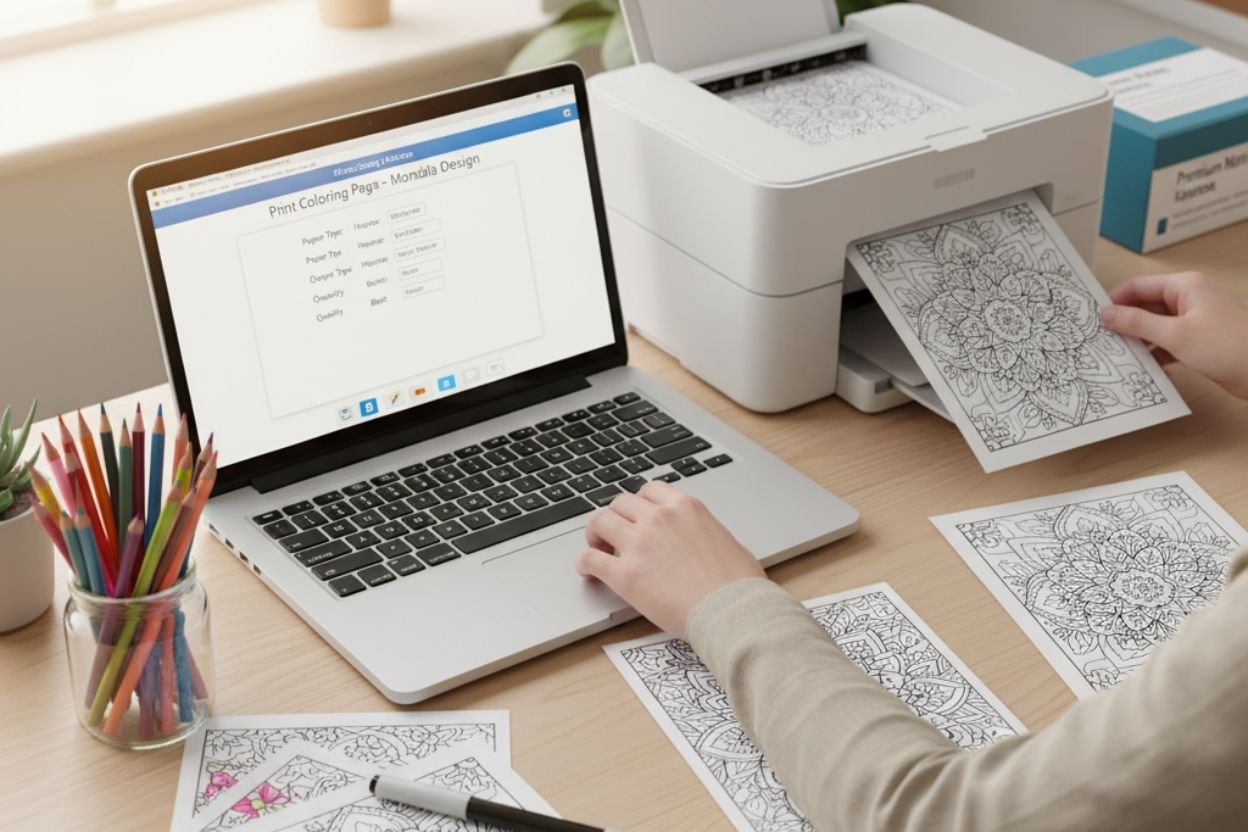
Nothing kills the coloring mood faster than a streaky, crooked print. Fortunately, you don’t need a commercial shop to get crisp, vibrant Print Coloring Pages—you just need a little know-how and a willingness to tweak a few settings.
This is your ultimate step-by-step guide to mastering the art of home printing. You’ll learn the best supplies, key printer adjustments, and essential troubleshooting tips to ensure every page looks gallery-ready for your markers, pencils, or crayons.
1. Optimize Your Supplies Before You Print Coloring Pages
Before hitting “Print,” ensure your tools are set up for success. The right combination of paper and ink is the foundation of a high-quality print.
| Component | Recommendation | Why it Matters |
| Printer Type | Inkjet for rich color and smooth gradients. Laser for razor-sharp line art. | Inkjets handle color saturation better; lasers offer superior line precision. |
| Ink Type | Pigment-based for markers (resists smearing). Dye-based for pencils and crayons. | Pigment ink is more water-resistant and less likely to bleed when blending markers. |
| Paper Weight | 120–160 gsm (32–43 lb text) minimum. Use 200 gsm for display/heavy media. | This prevents bleed-through and provides a professional heft without typically jamming home printers. |
| Paper Finish | Uncoated Cardstock (for markers/crayons). Premium Matte Photo Paper (for pencils). | Matte paper provides the “tooth” or texture pencils need to grab pigment beautifully. Export to Sheets |
2. Calibrate Your Printer Settings for Perfect Color and Clarity
If your screen’s bright teal turns into a dull green on paper, you have a color-profile mismatch. Follow these essential steps to harmonize your digital file with your physical printer.
- Color Matching: Use your operating system’s built-in color calibration utility (often a wizard found in display settings). If your printer manufacturer provides an ICC profile, use it! This ensures colors match between screen and print.
- Quality Mode: Always select “High” or “Best” quality mode in your print driver for final pages. While slower, this deposits more ink and ensures richer, band-free hues.
- Prevent Banding: Run a quick nozzle check and print head alignment from your printer’s maintenance menu. This essential step clears clogged nozzles, eliminating the faint horizontal stripes (banding) that ruin an otherwise perfect print.
3. Navigate the Print Dialog Box Like a Pro
The print settings window holds the key to the finished quality and placement of your art. Look for these critical options:
- Paper Type: This is crucial. Match the software setting to your actual paper stock (e.g., Matte Photo, Heavy Cardstock, or Presentation Paper). The printer adjusts ink flow and heat based on this setting.
- Scale and Fit:
- Choose “Actual Size” for designs specifically sized to an A4 or Letter page.
- Select “Fit to Printable Area” if you want to ensure no edges are cropped, even if the margins are slightly off.
- Borderless Printing: If you want your design to go edge-to-edge, select the borderless option. Note: Many printers auto-expand the image by a small amount (3–5%) in this mode. If precision is key, slightly shrink the document beforehand to compensate.
- Orientation Check: A quick glance at the preview to confirm portrait vs. landscape orientation can save you an expensive, wasted reprint.
4. Master Specialty Printing & Advanced Techniques
Unlock your printer’s full potential by using these techniques for different media and effects.
- For Watercolor Effects: Use a 200–240 gsm cold-press watercolor paper with your inkjet printer. Select “Fine Art Paper” in the settings and manual feed one sheet at a time via the rear paper tray (if available) to prevent jamming.
- Handling Ink Bleed (Feathering): If ink creeps along paper fibers, switch to a smoother stock or reduce the ink density/volume in your printer’s advanced settings.
- Marker Smearing: Pigment inks typically resist smearing better than dye-based inks. For the most marker-friendly results, let your printed page fully cure for at least 24 hours before coloring.
- Double-Sided Prints: To avoid the back image “ghosting” through the front, use 160 gsm paper or heavier. Print the side with the lighter design first, let it dry completely (preferably overnight), and then reload the sheet to print the second side according to your printer’s duplex guide.
5. Smart Troubleshooting and Money-Saving Hacks
Save ink, save time, and maintain quality with these simple tips.
| Issue | Quick Fix | Money-Saving Hack |
| Horizontal Banding | Run a nozzle cleaning cycle and ensure your Quality setting is set to “High.” | Print in Batches—Printers use ink for cleaning cycles every time they power up. Printing multiple pages in one session reduces this waste. |
| Color Shifts | Check ink levels. Replace all near-empty cartridges together. Low colors force the printer to substitute mixes, which often dulls or shifts hues. | Invest in reputable third-party bulk ink refills with pigment-based formulas to significantly reduce cost per page. |
| Paper Jams | Fan your stack of paper before loading to reduce static. Use the rear feed (if available) for thick cardstock. | Always zoom into your print preview at 100% to catch stray lines or typos before you commit to printing. Export to Sheets |
6. Printing on Specialty Papers
Once you’ve found a workflow that works perfectly for your specific printer and paper, jot down your settings and tape them nearby. You’ll save a mountain of frustration and wasted ink on your next session, allowing you to dive straight into the fun part: bringing those flawless lines to life!
The Reward of Effort
Achieving flawless coloring pages is a blend of patience and smart settings management. Spending an extra few minutes matching your paper type to your printer settings will save you countless hours of frustration and wasted ink later.
Once you have a workflow that produces the perfect print from your specific equipment, jot down those optimal settings. Then, reward yourself by grabbing your favorite coloring tools and diving straight into the fun part: bringing those beautiful, crisp lines to life!







0 Comments